
01
Video
Find your flow.
FREE ONLINE VIDEO EDITOR · AUTO SUBTITLES · NO UPLOADS
Edit videos, generate automatic subtitles and refine your photos
with free browser tools. No signup or media uploads.
No signup · 95 creative tools · Your files stay yours
 01 / CAPTION ITYOUR
 02 / MAKE THE CUTgo somewhere
 03 / STAND OUTA fresh
LESS CLICKING. MORE CREATING.
Meet your chat editing assistant. Add a file, describe a change, or combine supported edits in one request. We’ll open the right workspace.
Try “crop it to 9:16 and trim the first 3 seconds”
GOOD WORDS. GREAT TIMING.
From a first upload to word-by-word captions. Pick your look, fine-tune the words, and make your message impossible to miss.
Make your first captions ↗YOUR NEXT EDIT, ALL IN ONE PLACE
Find the good part. Set the pace. Layer in music, words and your own point of view.
Meet your video editor ↗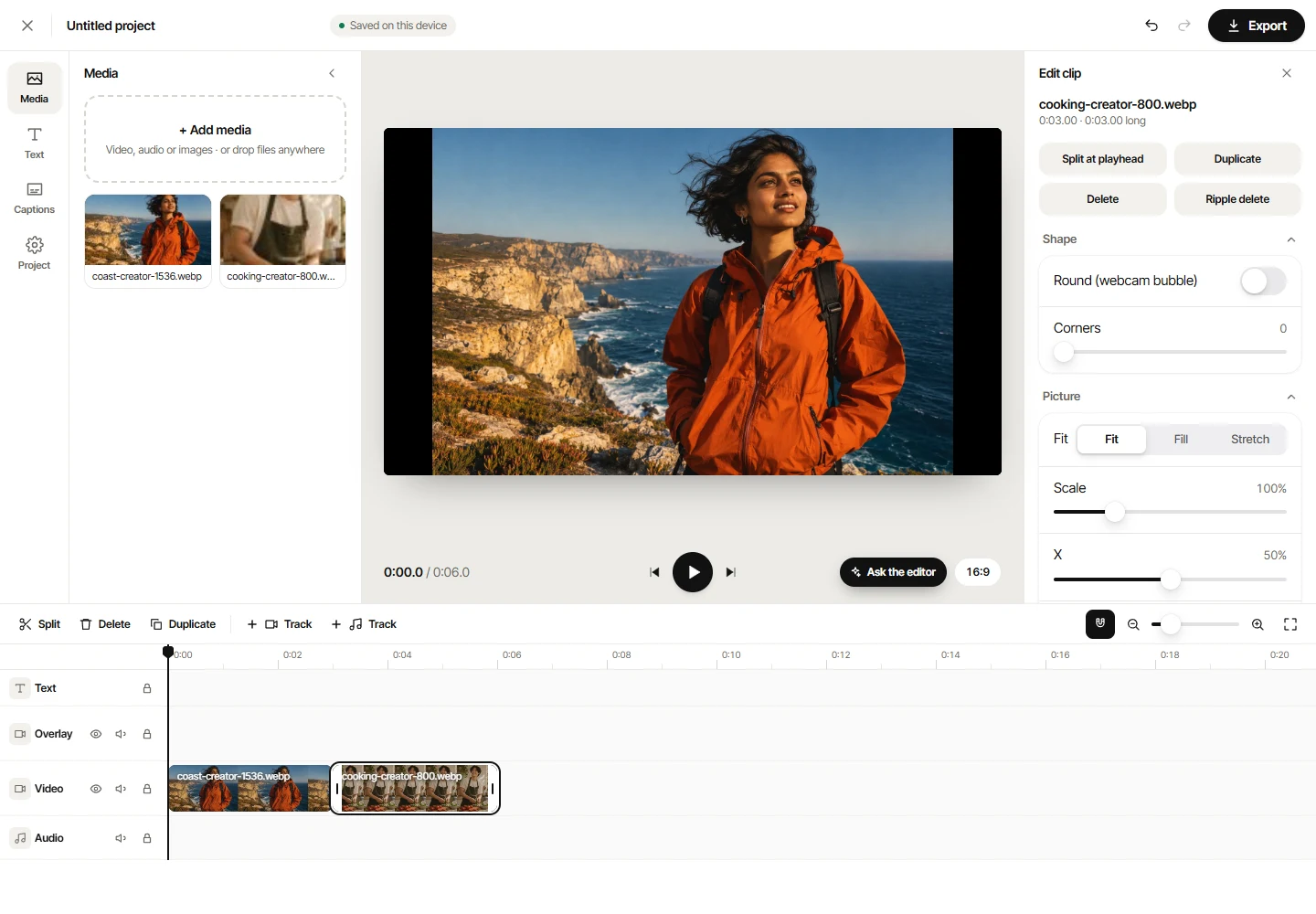

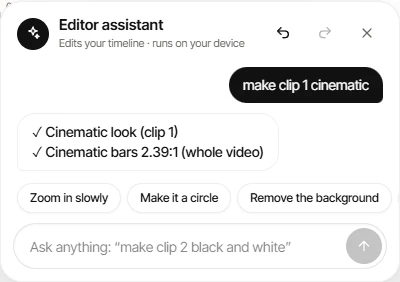
MEET YOUR CHAT VIDEO EDITOR
Less hunting through panels. Tell the assistant what to change, then keep shaping your project on the timeline.
Local editing commands, without a paid AI API. This assistant edits your media; it doesn’t generate new video footage.
ONE TAB. ENDLESS POSSIBILITIES.
That one quick fix. That whole new project.
95 tools for whatever comes next.
Find your flow.
Make every word count.
Give it a new look.
Sound like yourself.
PERSONAL PROJECTS. KEPT PERSONAL.
Your browser does the work. Your videos, photos and audio stay on your device while you edit. No upload queue. No account to get started.
Our approach to privacy ↗A FEW GOOD QUESTIONS
The browser tools are free to use without an account. Free captioned video exports include a small VideoTouro watermark; SRT, VTT and TXT subtitle files do not. The Windows screen recorder app is part of VideoTouro too.
Your media is processed in your browser, on your device. It is not uploaded for editing. AI features download their models on first use, then reuse the cached files where your browser allows it.
Try specific requests such as “crop it to 9:16 and trim the first 3 seconds” or “compress it under 10 MB”. It understands supported editing commands and can open the right tool. It will ask for clarification when a request is unclear.
Yes, many tools work on recent mobile browsers. Large files and AI processing need more memory and time, so a computer is better for demanding projects. Screen recording depends on your browser and device.
Yes. Edit individual words and their timing, choose a caption style, then download a subtitle file or export the captions as part of your video. Always review automatically generated text before sharing.
THAT IDEA YOU’VE BEEN SITTING ON?
No signup. Just you and your next great edit.